Well, it has been over a year since I wrote a news post... A lot has happened.
Website Improvements

Since you're reading this page on our website, you've probably already noticed the new layout on the home page and the tutorials page. You've also likely noticed Al, our resident mad-alchemist turned electrical engineer.
All the tutorials were reorganized. We now have a full Introduction section that has a great Getting Started page. This tutorial is a great guide if you're just getting started with FPGAs and don't know what board(s) you should get.
The new Pinouts and Custom Elements page has all the info you need to make your own elements. This page has the pinouts for the three base FPGA boards, including trace lengths and package delays. There's also a nice diagram for connector positions, links to all the 3D models, and links to the Alchitry V2 Elements Library for KiCad, Fusion, and Altium Designer.
The standard tutorials are now split into four categories.
Starter tutorials are intended to be the first ones you work though. They all build off each other and are expected to be followed in order.
Intermediate tutorials are still beginner-friendly, but they're not provided in any specific order. Feel free to pick and choose the order you read through them. They assume you have the background from the starter tutorials.
Advanced tutorials assume you have a decent background and have read through at least a few intermediate tutorials.
Projects are just that. These are example projects documented to give you an idea of how a full system comes together.
Right now, some of these categories are admittedly pretty bare. We have lots of things in the works that should help fill them out nicely.
New Videos
If you've been poking around the new website, you've probably already run into some of our new videos.
It had been 5 years since we made a video, but we are back baby! A big part of this was moving into a larger space where filming is much easier.
Check out our YouTube channel and subscribe if you're interested in seeing our new video tutorials.
Right now, we're working on a series focused on creating your own Alchitry Element (add-on board) and digital PCB design in general.
Alchitry Labs
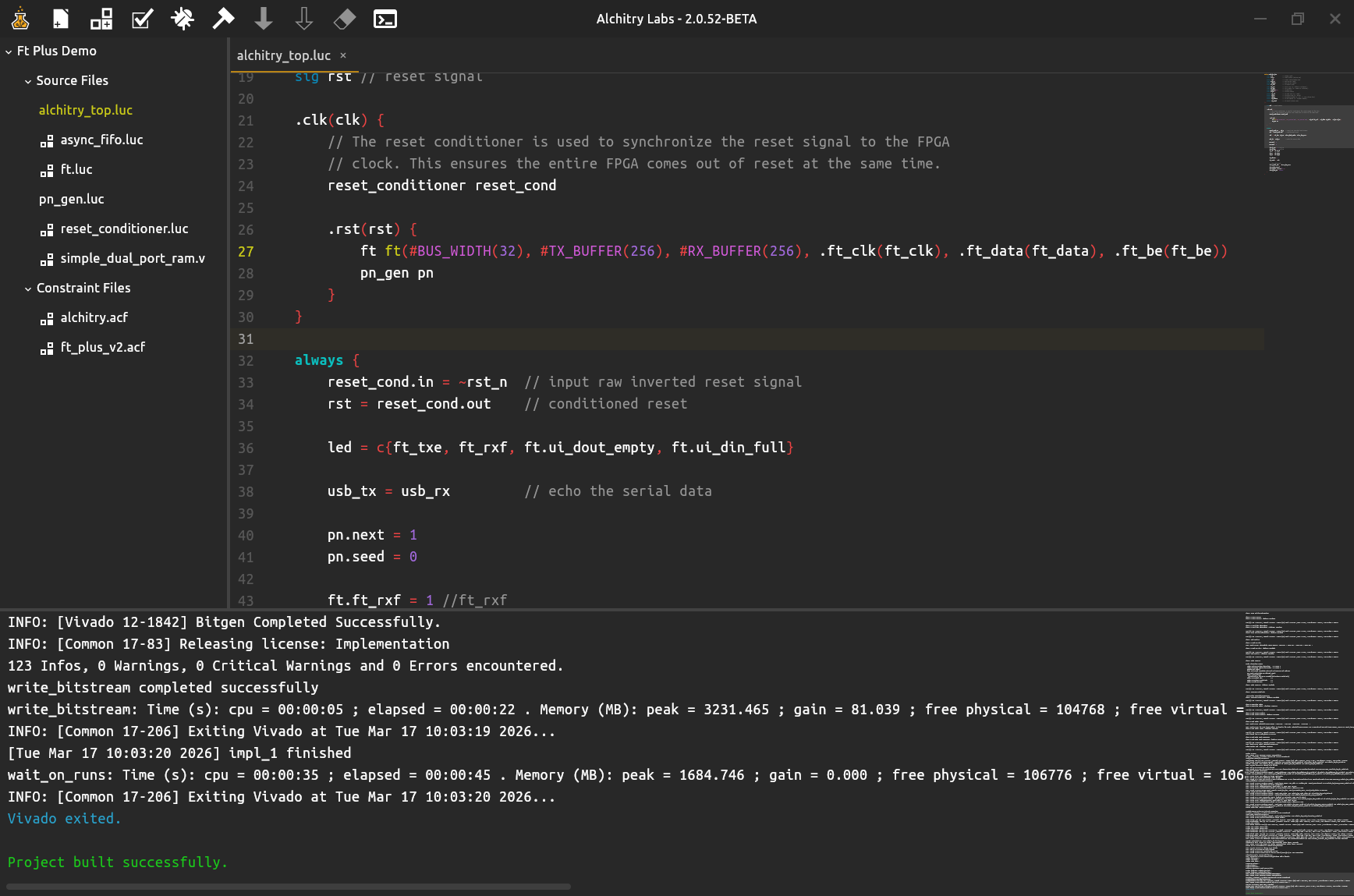
Since the last post, there have been 28 new releases consisting of 494 commits! That's a bit much to cover in one post, but here are the highlights.
Project templates were added for both the Ft and Hd, including the GPU project.
The UI can now be scaled to various percentages to fit your preference. Everything is rendered natively, so nothing pixelates even on high DPI monitors.
Alchitry Constraints got a major overhaul and now supports various values like DIFF_TERM and SLEW.
These can be put into attribute blocks like signal connections in Lucid to avoid highly repetitive constraints.
See the Alchitry Constraints Reference for all the details.
Alchitry Constraints now have native blocks that allow you to inject native constraints for when things get extra spicy.
A major refactoring happened under that hood that unified the code editor logic with the console text. This brought some performance improvements and bug fixes like being able to select off-screen text in the console. The most visually obvious addition from this refactor is the Sublime Text style mini-text scroll-bars are now available everywhere. If you want to save some horizontal space, you can swap them out for a minimal scroll-bar in the settings.
If you're an Arch Linux user, or you use one of its derivatives, Alchitry Labs V2 is now available from the AUR. We're the maintainer, and our build script pushes updates directly here so the package stays up to date.
In addition to all this, there were countless bugs squashed. There's still a lot being developed, so check out the GitHub page for the latest changes.
Coming Up Next
In the next 6 weeks, we will have a handful of more videos published for the custom elements design series. By the end of this week, we should have one published exploring the speed of electricity and what that means for PCB design.
Next month, we will have videos looking at return paths and impedance. After all that, we will begin a series where we design an acoustic camera.
As part of this series, we will likely be offering both the acoustic camera and a Raspberry Pi PCIe adapter board as products.
For Alchitry Labs, there are a handful of bugs that will get squashed soon. After that, the next major feature will be bringing back the on-chip debugger. I've been putting a lot of thought into how to best do this from both a technical and UI point of view. The new version will be much better than the Alchitry Labs V1 version.
The UI limitations from SWT (the UI tool-kit used in V1) when trying to do graphing was one of the major factors that pushed me to start the V2 rewrite. Compose (the new UI tool-kit) give a lot more freedom.
On the website, I'll continue to update tutorials and will be sprinkling in new ones. The next tutorial will likely be about timing. This has been missing from the V2 tutorials for too long.
As always, feel free to let me know your thoughts either directly or on the forum.